
Your staff count the shelves on their phones, and Stokd turns the counts into the order list and the cash & carry run — sorted by who you buy from, ready to send.
Set up as a shop, Stokd only shows a shop’s parts, in a shop’s words. No recipes, no allergen charts, no restaurant talk.
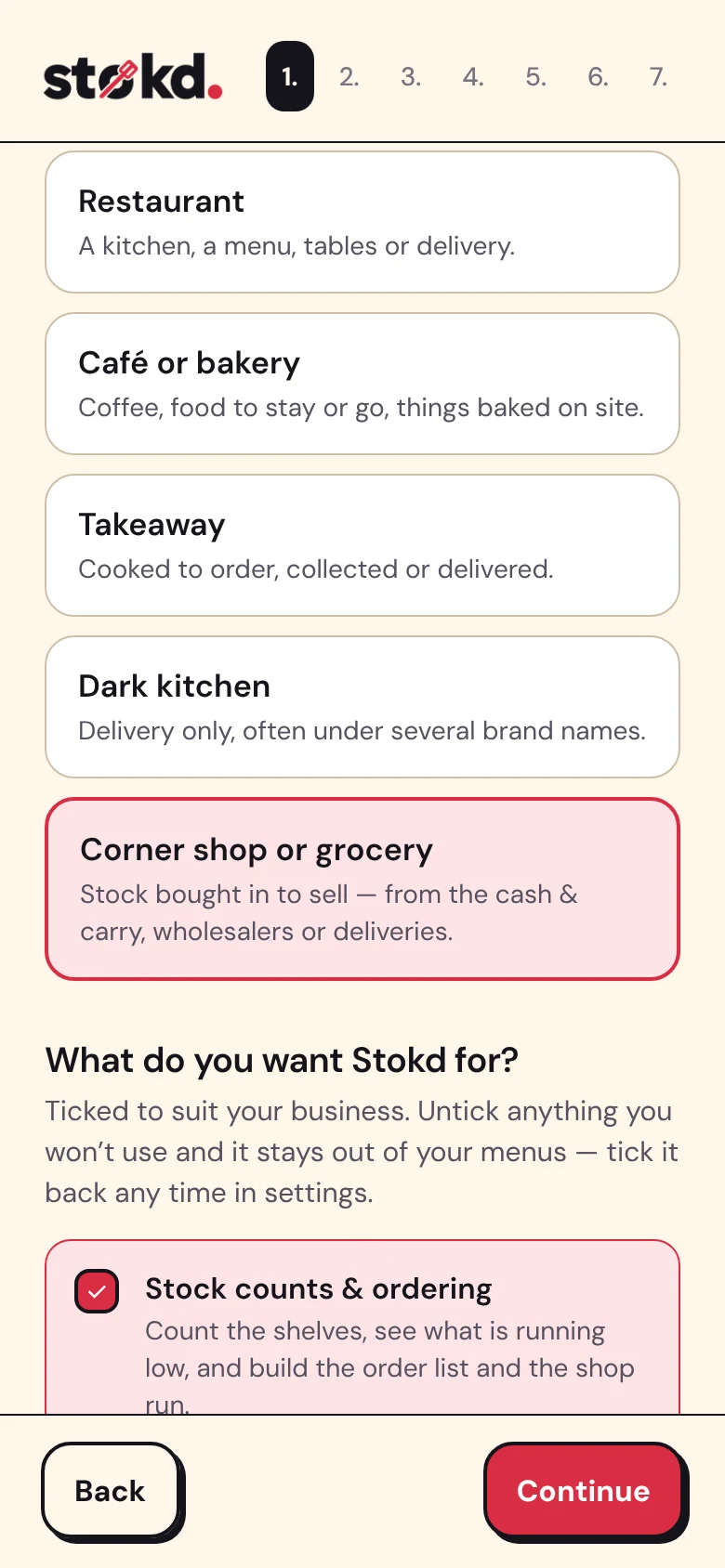
The first thing Stokd asks is what kind of place you run. Pick Corner shop or grocery and it switches on stock counts, ordering, checklists and chiller temperatures — and leaves the kitchen’s tools out of your menus and your staff’s.
Change your mind later in Shop settings: tick a part back on, or off, any time. Nothing you’ve made is deleted.
Split the shop the way you walk it — chillers, drinks, crisps & sweets, the grocery aisle, behind the counter. Staff count a section one card at a time: a number, or just Plenty or Low when a number isn’t worth it. Or tap the mic and say it — “Coke 500ml, eight”.
Setting up is a paste: your product list straight off a cash & carry invoice, one line each, then a tap per item to put it in its section.
Chillers — milk, cheese, butter, sandwiches.
Drinks — the fridges and the stacks behind them.
Crisps & sweets · Grocery aisle · Behind the counter.
Each one counted card by card, by whoever’s on — and every count kept, with who did it and when.
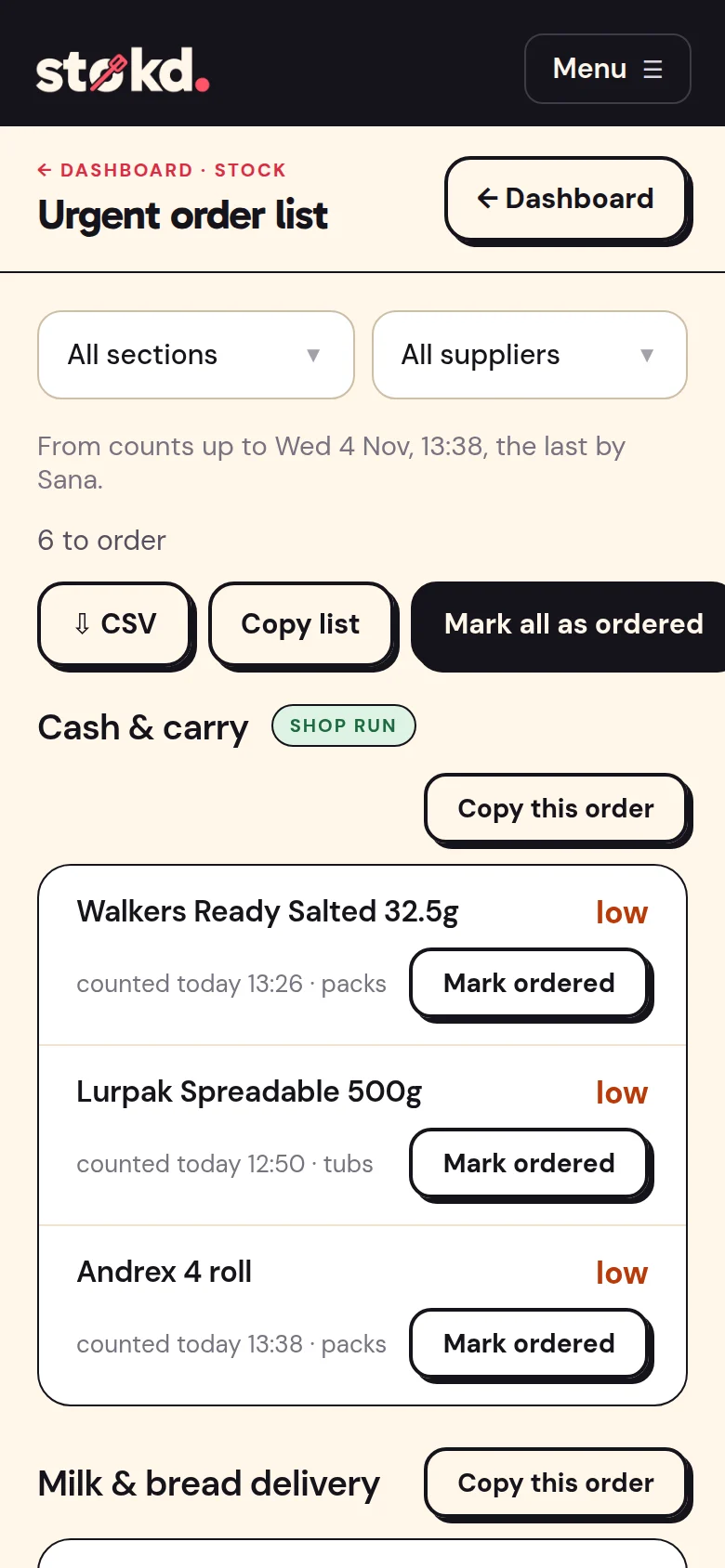
Anything counted at or below its level goes straight on the order list, grouped by who you buy from — the drinks wholesaler, the milk and bread delivery, the cash & carry. Copy an order into WhatsApp or an email and mark it ordered, with how many. It waits as ordered until the delivery comes in.
What you fetch yourself is the shop run: the cash & carry list, ready for whoever’s going. And the list says how old its counts are, so nobody orders off last week’s.
Scan a pack while you count and its card comes straight up. Scan an empty shelf and it goes on the order list, under its supplier. Scan something new and Stokd fills in its name for you to check.
Most food and drink comes up by name; anything that doesn’t, you type once. Scan in the iPhone app, in Chrome on Android, or with a Bluetooth scanner.
Your list says “Sriracha mayo” but the jar says “Goose Sriracha Mayo 500ml”? The first scan asks which item is this? and remembers. Bananas and bakery with no barcode get Stokd shelf labels, printed on A4 sticker sheets. And a till or cash & carry export brings its barcodes with it when you import your list.

What a scan does, which products come up by name, and what it costs.
Download the PDFA4, in English.
When the drinks lorry comes, tap Stock in and scan each case. It ticks itself off what you ordered (a pack of 24 cans goes on as 24), and whatever didn’t come stays on the order. Out-of-date milk or a burst multipack? Stock out takes it off, with the reason.
Connect your till (Square, Zettle, SumUp, Epos Now, Shopify POS, Lightspeed, Clover or Loyverse) and every sale comes off the stock as it’s rung up, matched by barcode. So between counts, the shelves on your phone look like the shelves in the shop.
2 of 3 in
✓ Coke 330ml cans — in: 2 packs (48 cans).
✓ Walkers Ready Salted — in: 1 case.
○ Lurpak Spreadable 500g — 6 still to come.
Each scanned as it came off the van, booked in under whoever scanned it.
Staff scan the poster by the door to clock in and out. The clock, the rota and timesheets are free forever, for the whole crew.
Ready-made ones to start from: shutters up and float counted, the date check, facing up, cash up and lock up — on every phone, with reminders. And urgent jobs, raised with a photo, done only with one.
Readings logged morning and night, with who took them — kept together with your checklists for when an inspector asks.
Who is trained, and until when: each certificate with the date it runs out, flagged two months before it does, and in the Inspector Pack.
Free forever — clock-in, rota and timesheets, unlimited staff.
£25 a month — checklists, temperatures, the Inspector Pack and payroll files.
£50 a month — stock counts, barcode scanning, the order list, the shop run, deliveries and your till.
Per shop. The first 30 days have everything switched on, and no card is asked for.
