
The order list, the kitchen prep list, the shop run and the timesheet — built off one evening count and one QR scan at the door. No clipboard, no spreadsheet, no “did anyone check the freezer?”
Count the stock once. Everything else writes itself. 1 min
Counting the walk-in on a sheet, then typing it into an order text for the supplier. Twice the work, once a day, forever.
Piecing the week’s hours together from texts, memory and whoever shouts loudest. Payday becomes an argument you host.
“Did anyone do the fridge temps?” — answered by ringing the restaurant and hoping the right person picks up. And “what did it say?” answered by nobody at all.
Anything counted at or under its urgent level routes itself. Tick it off anywhere and it leaves every other screen too — one source of truth, no copying between lists.
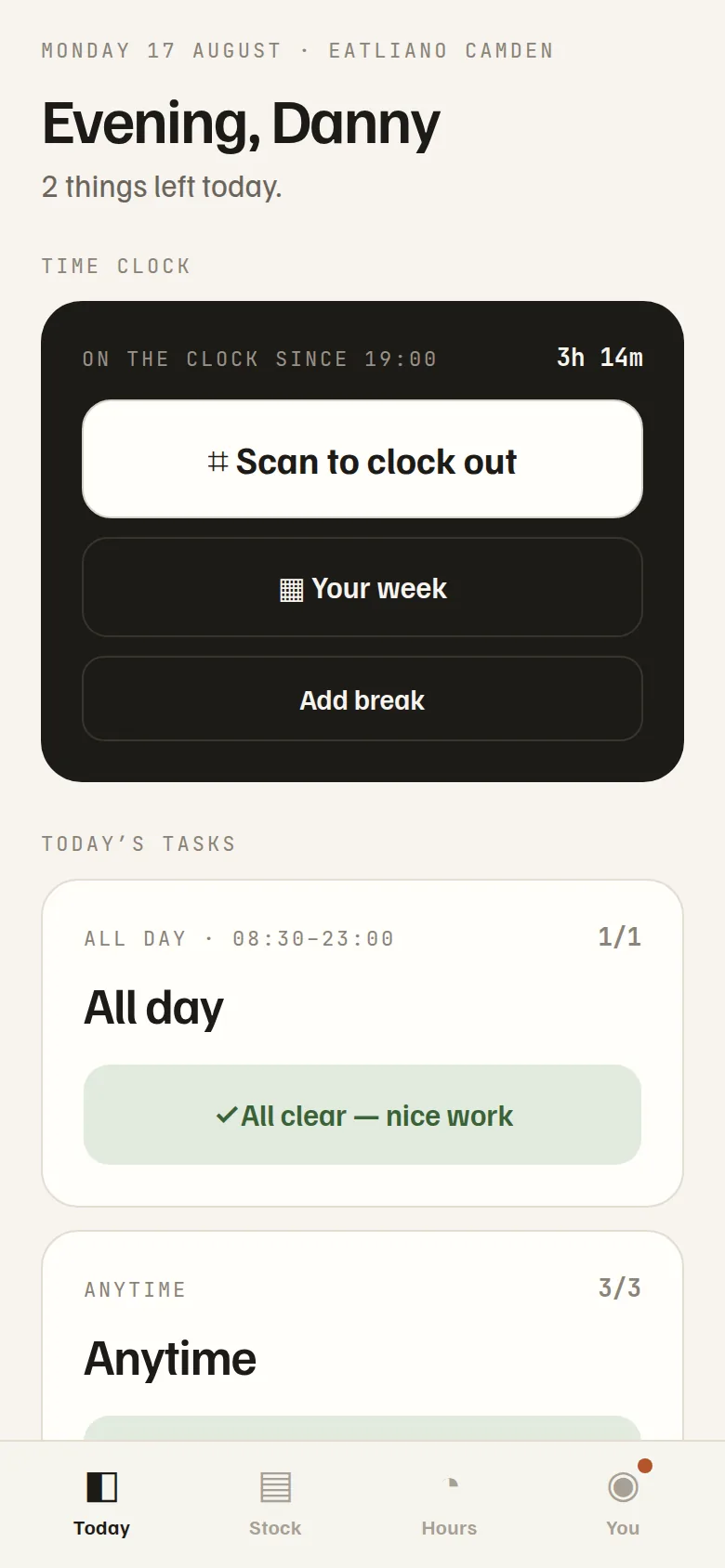
A QR poster by the door is the entire time clock. Every scan writes the timesheet for you — no collecting hours from texts, no Sunday night in Excel, no “I definitely stayed till close.” What used to be an evening of piecing the week together becomes a deck you swipe through with your feet up.
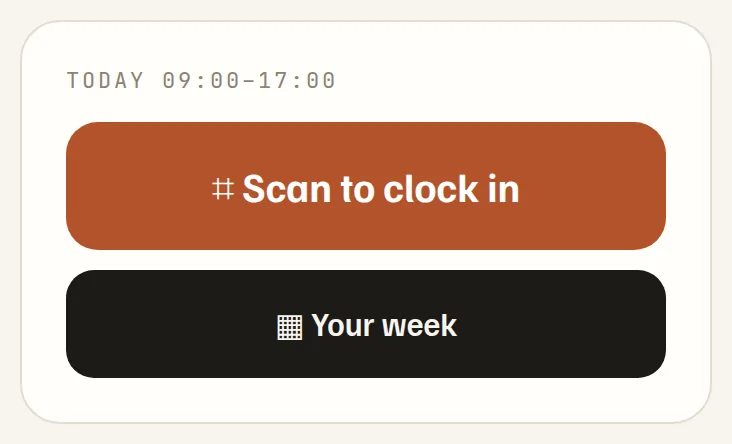
Being in the building is the proof. Arriving late asks for the reason right there — not on payday.
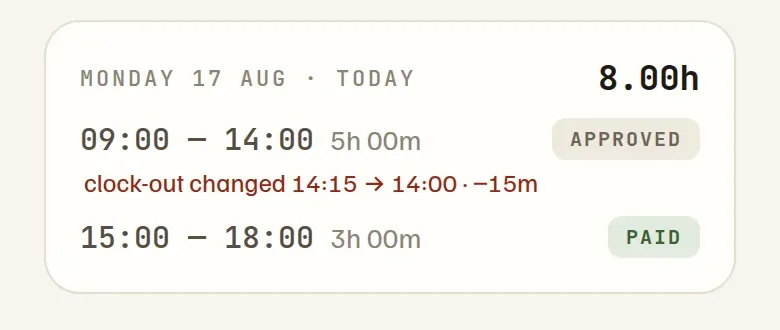
Every scan lands here, net of breaks, overnight shifts handled. Nothing to collect, nothing to retype.
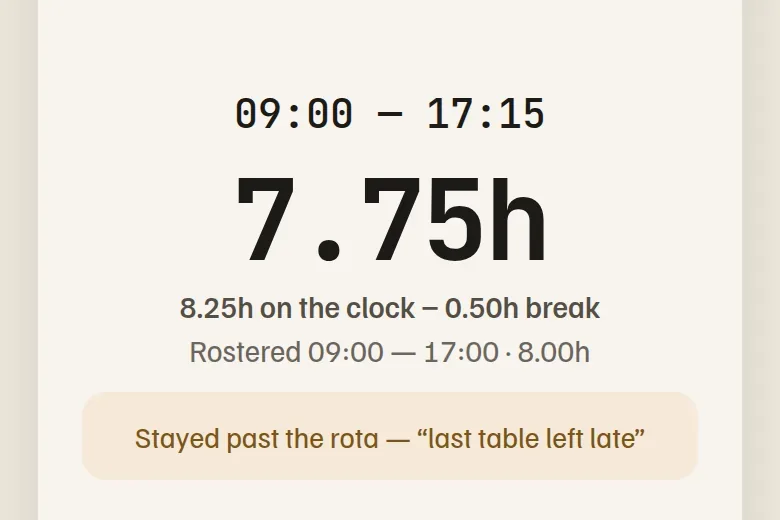
Overtime arrives with its reason attached. Approve nineteen shifts in one sitting — each person gets one “hours approved” note, and any trim shows them 23:15 → 23:00.
Every shift gets its own deck — opening jobs 15 minutes after the doors, closing jobs before them. Skipping needs a typed reason. Overdue escalates to your phone. And a check can ask for a number rather than a tick: type the fridge temperature, and anything over the limit asks what you did about it before it will close.
See checklists →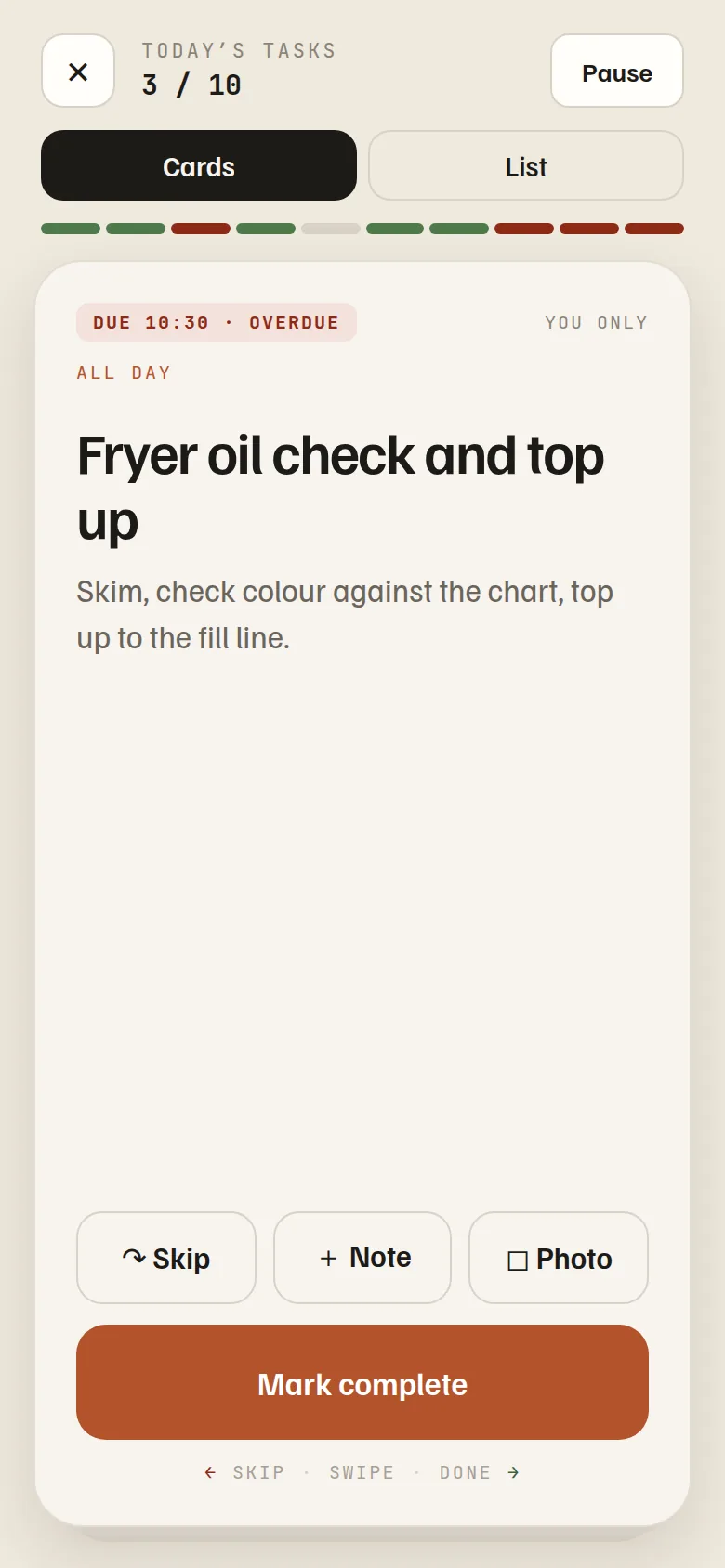
Temperatures with the out-of-range ones and what you did about them. Cleaning and checks completed. Who is trained and until when. One PDF, built from what your crew already recorded on their shift — instead of scrolling your own app while somebody watches.
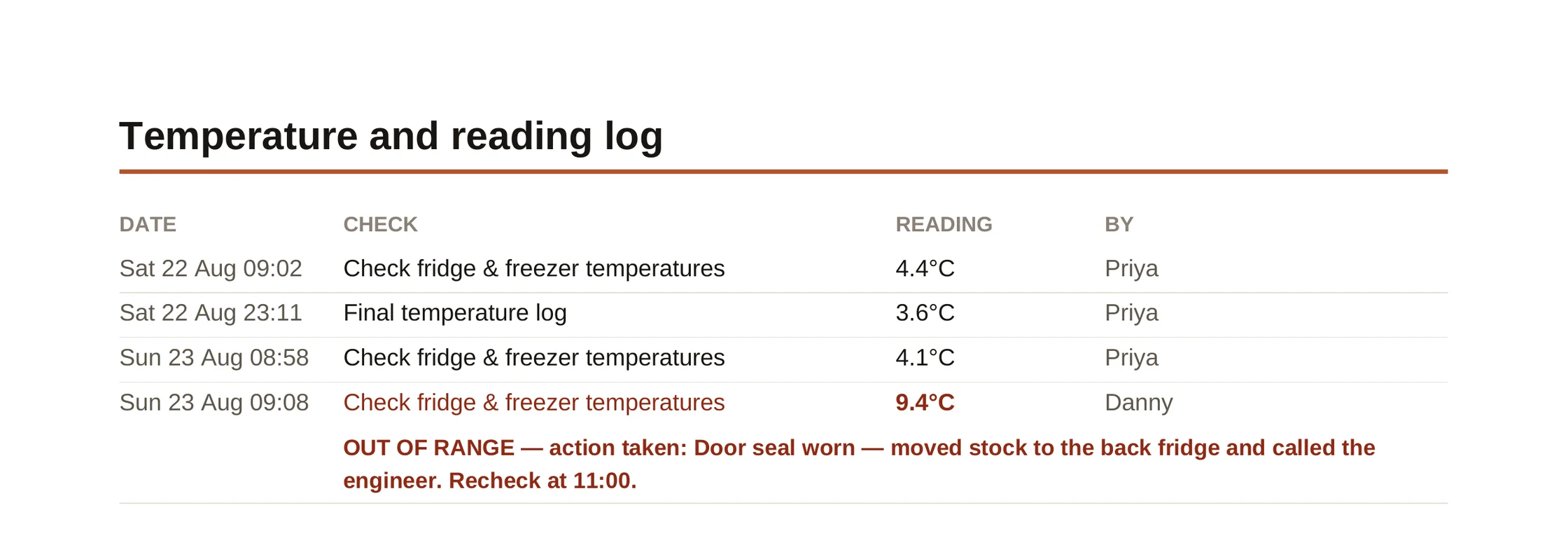
A real page from a real shift. The 9.4°C is the one that matters — and the line underneath is what turns it from a problem into evidence.
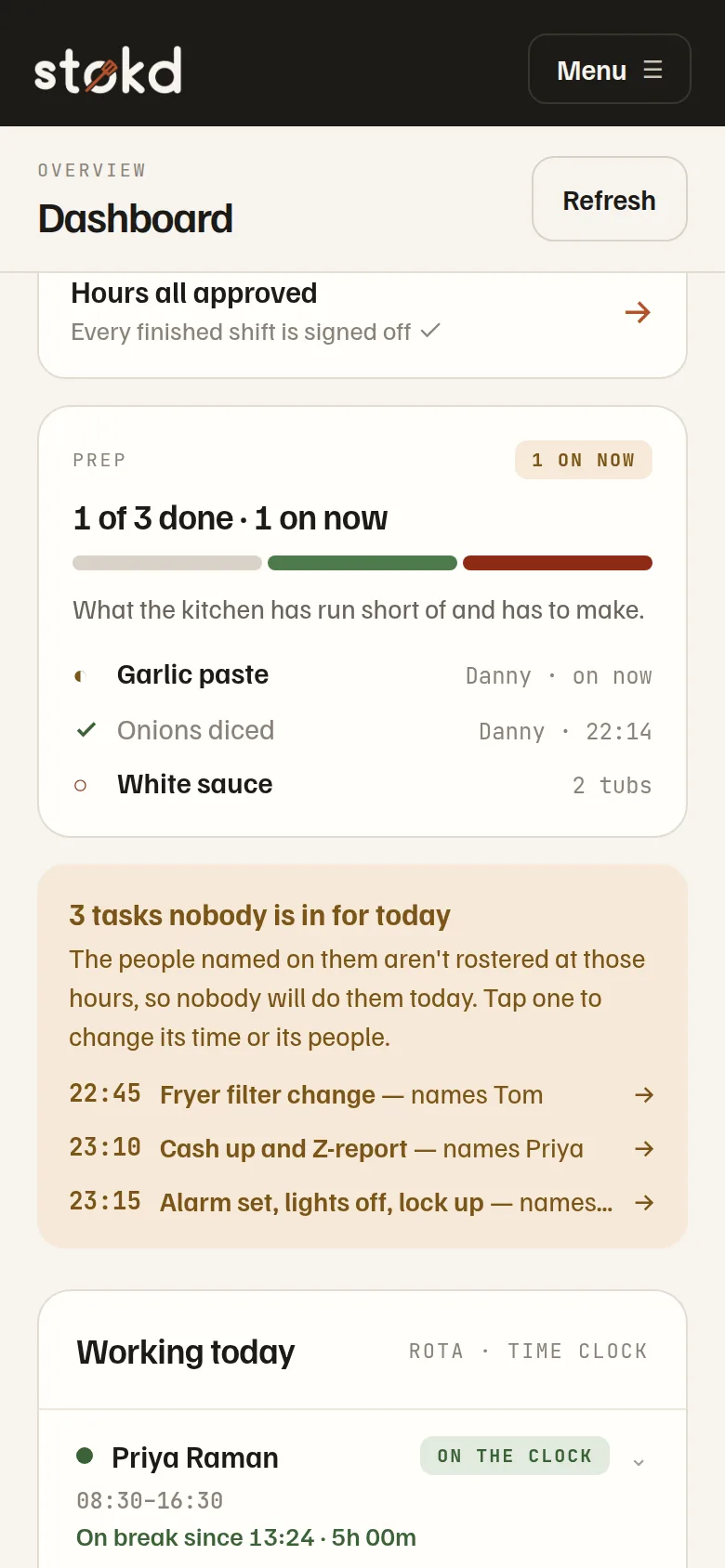
See the Inspector Pack →Tasks still open, hours waiting on you, what the kitchen is making right now — “1 of 3 done, Danny’s on the garlic paste” — and every count openable: what was on the shelf, what they found, what it was last time. Not a report you compile. A glance.
See the stock system →Plenty, or running low. A number only when a number matters. Swipe cards or tick a list — their choice, remembered.
Installs from a link to the home screen — no app store hunt, nothing to set up. Works on whatever phone they already have.
“Hours approved — 8h, ready for payroll.” Their hours, their tasks, their prep list — visible, and fair by design.
30 days of everything to start — no card, unlimited staff on every plan.
The door of the restaurant — for the whole crew, always free.
Your food-safety paper trail — checklists done, on time, with proof.
Stop running out mid-service and stop over-ordering — and hand the inspector one PDF.
Someone sets the whole thing up for you, and gets on a call every day for as long as you need one.