
Temperatures with the out-of-range ones and what you did about them. Cleaning and checks, with anything skipped and why. Who is trained and until when. One PDF, ready to hand over or email — built from what your crew already recorded on their shift.
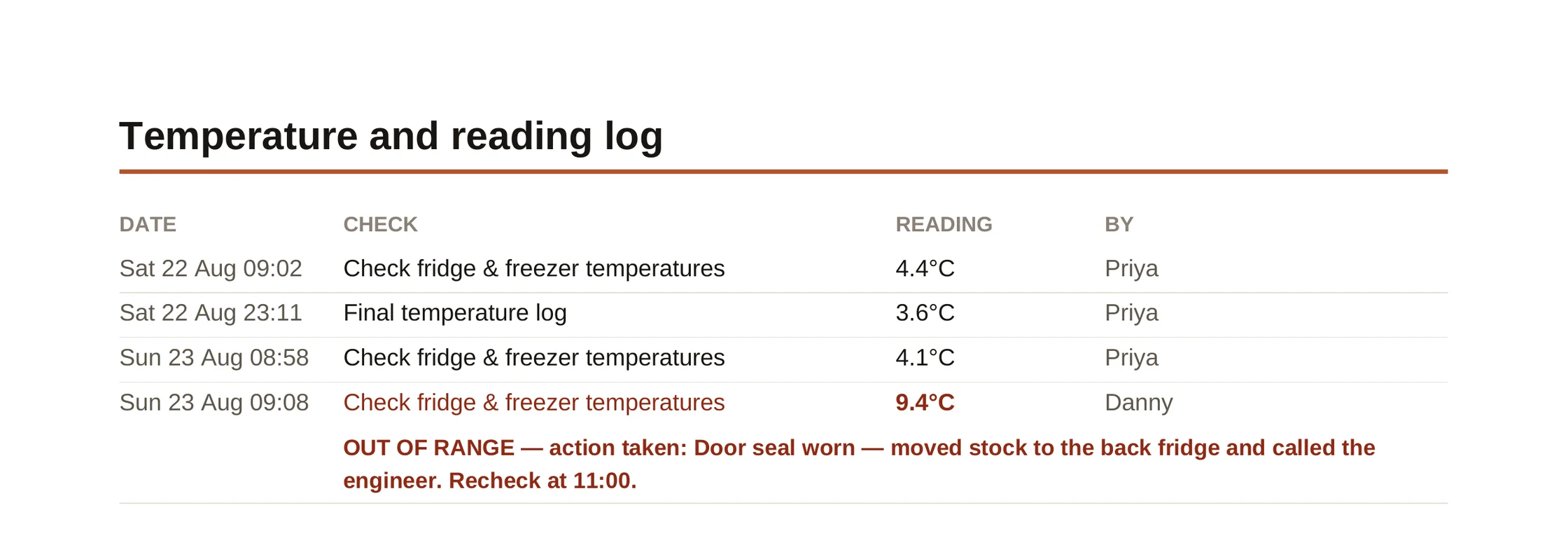
A real page, from a real shift. The 9.4°C is the one that matters — and the line underneath is what turns it from a problem into evidence.
UK kitchens have to log fridge and freezer temperatures at least twice a day, keep chilled food at 8°C or below, and hold those records for months. Temperature logs are the first thing an environmental health officer asks to see. “Someone checked the fridge” is not an answer to “what did the fridge say?”
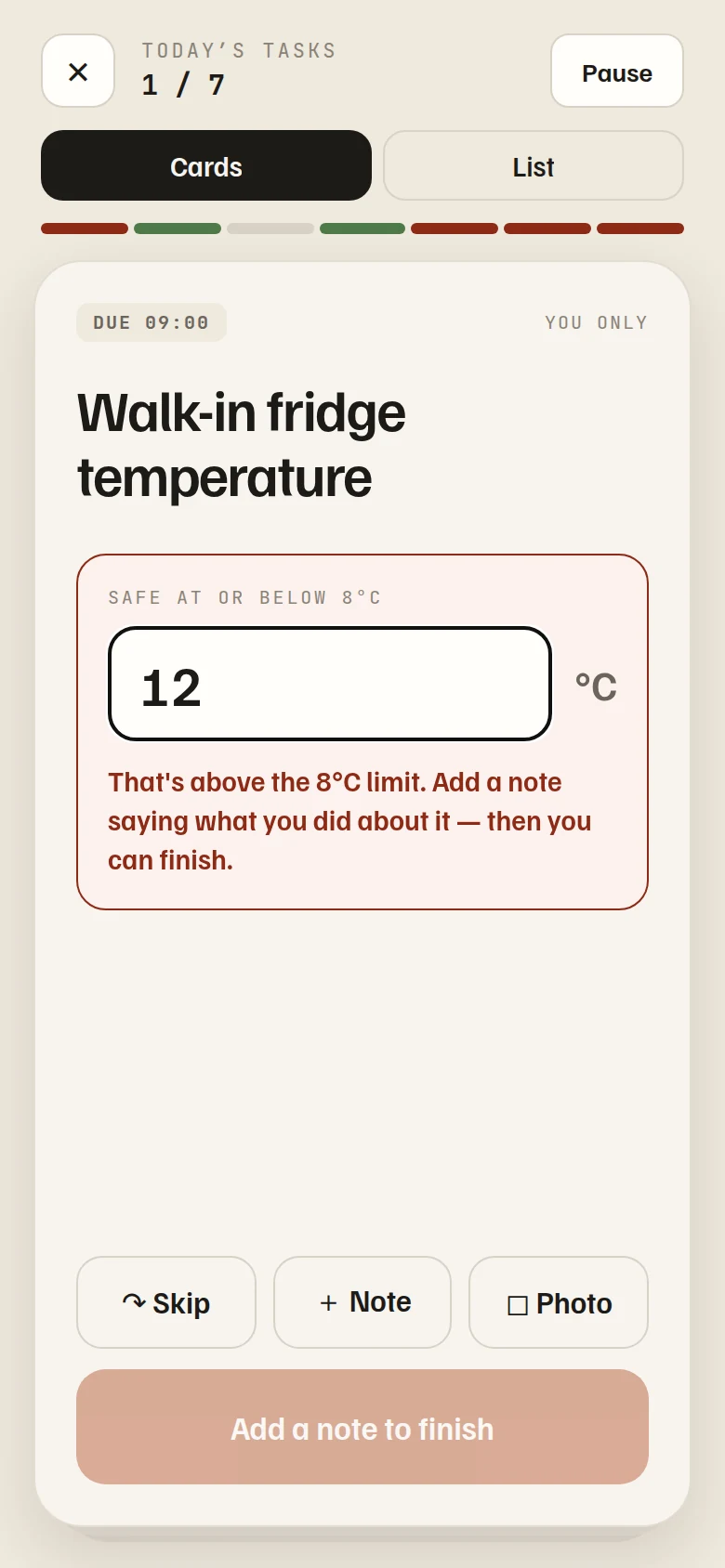
A task can carry a unit and a safe range. Staff type the reading to finish the card — there is no ticking past it.
Outside the range, the card asks what was done about it before it will close. That note is the corrective action, recorded at the time.
The fridge is warm whether or not the app approves. The reading always goes on the record — hiding it is the one thing that would make this worthless.
The card your crew already swipes through now has a box on it. Enter what the probe says and carry on. Over the limit and it turns red, asks what you did, and holds the card open until you say — which takes ten seconds and saves an argument three months later.
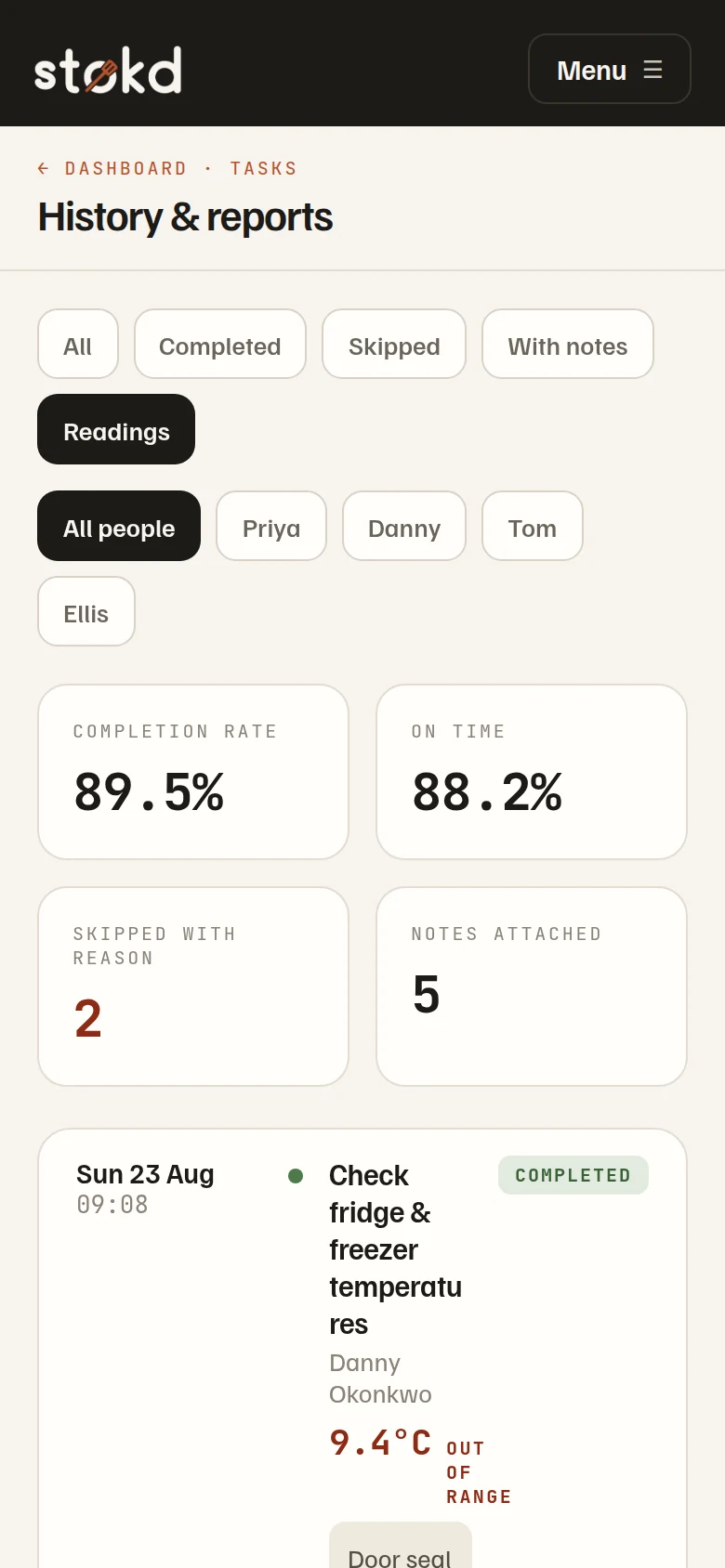
History has a Readings filter that is your temperature log. Each entry carries the time, the check, the figure and the person — and anything outside its safe range is flagged in red, judged against the limit as it stands today.
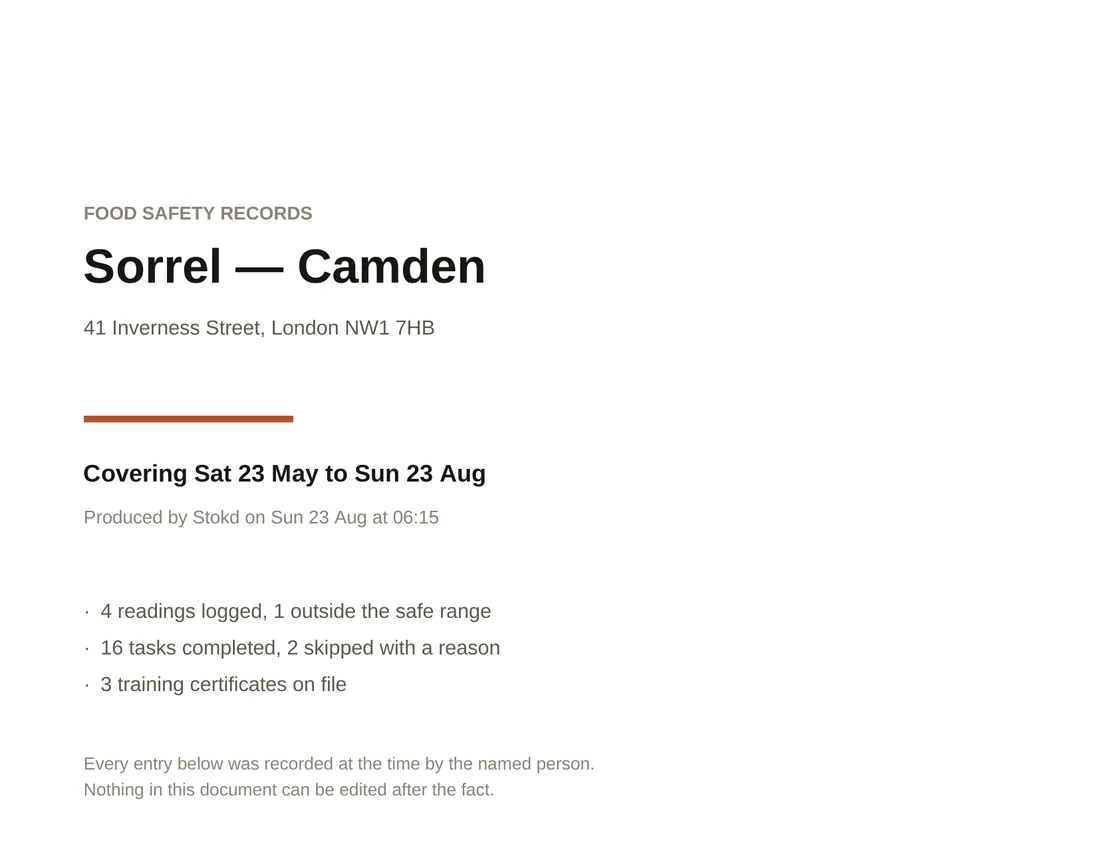
Your shop, the address, the dates covered, when it was produced, and the totals: readings logged, how many were out of range, tasks completed, certificates on file.
Every number with its time, check and person. Out-of-range entries in red, with the action taken printed underneath. A breach with no note says no action recorded — because that is the honest answer.
What was done and how often over the period, plus anything skipped with the reason typed at the time.
Every certificate, who holds it, when it was awarded and when it lapses — with anything expiring marked.
Entries are kept as they were recorded, by the person who recorded them. That is what makes the document worth anything.
On a phone it opens the share sheet. On a laptop it downloads. Either way it is a PDF, and it takes about four seconds.
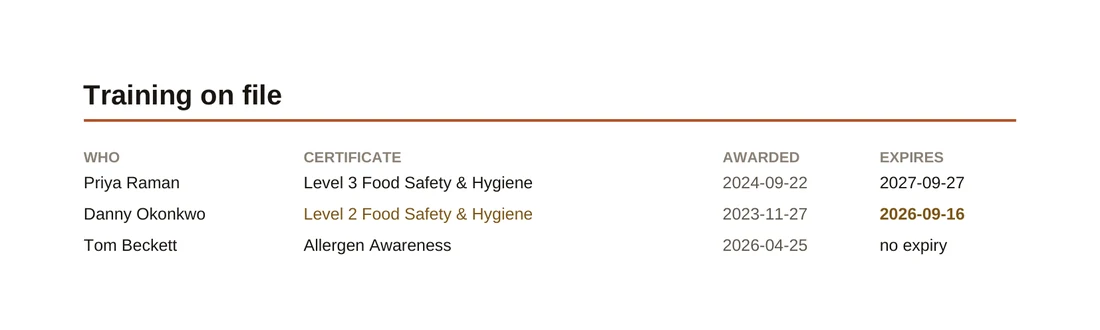
Inspectors ask, and the answer usually lives in a folder behind the office door. Stokd already knows your crew, so it keeps the certificates with the people they belong to — and warns you sixty days before one lapses, which is long enough to book the course.
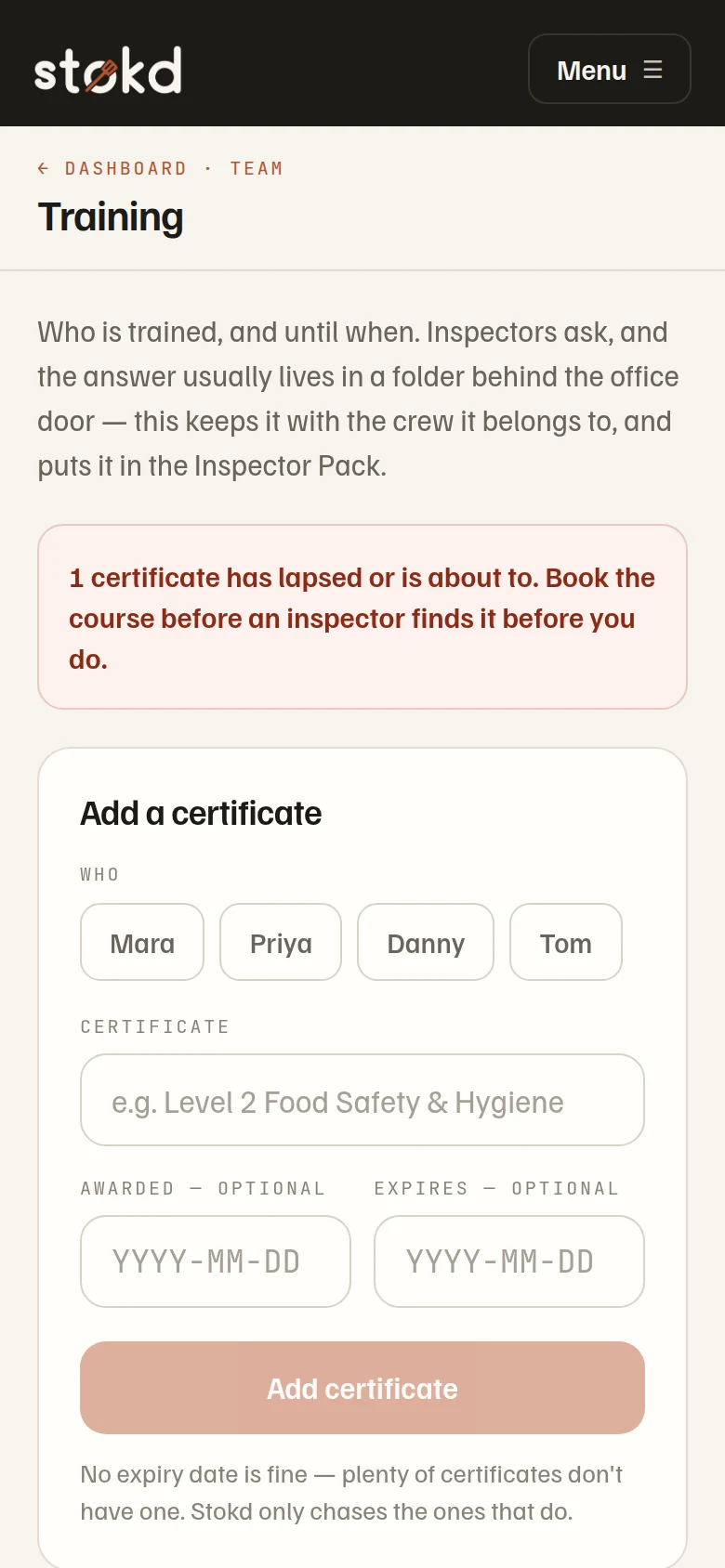
The pack is only as good as the month behind it, and none of that is extra work — it is the fridge check your opening shift already does, with a number typed instead of a tick. Set the limit once and the record builds itself.
Start free — 30 days